Reorder Point Calculator for Small Retail Stores
Calculate when to reorder, how many cases to buy, and what your budget covers. Use the free Excel template to plan multiple retail SKUs.
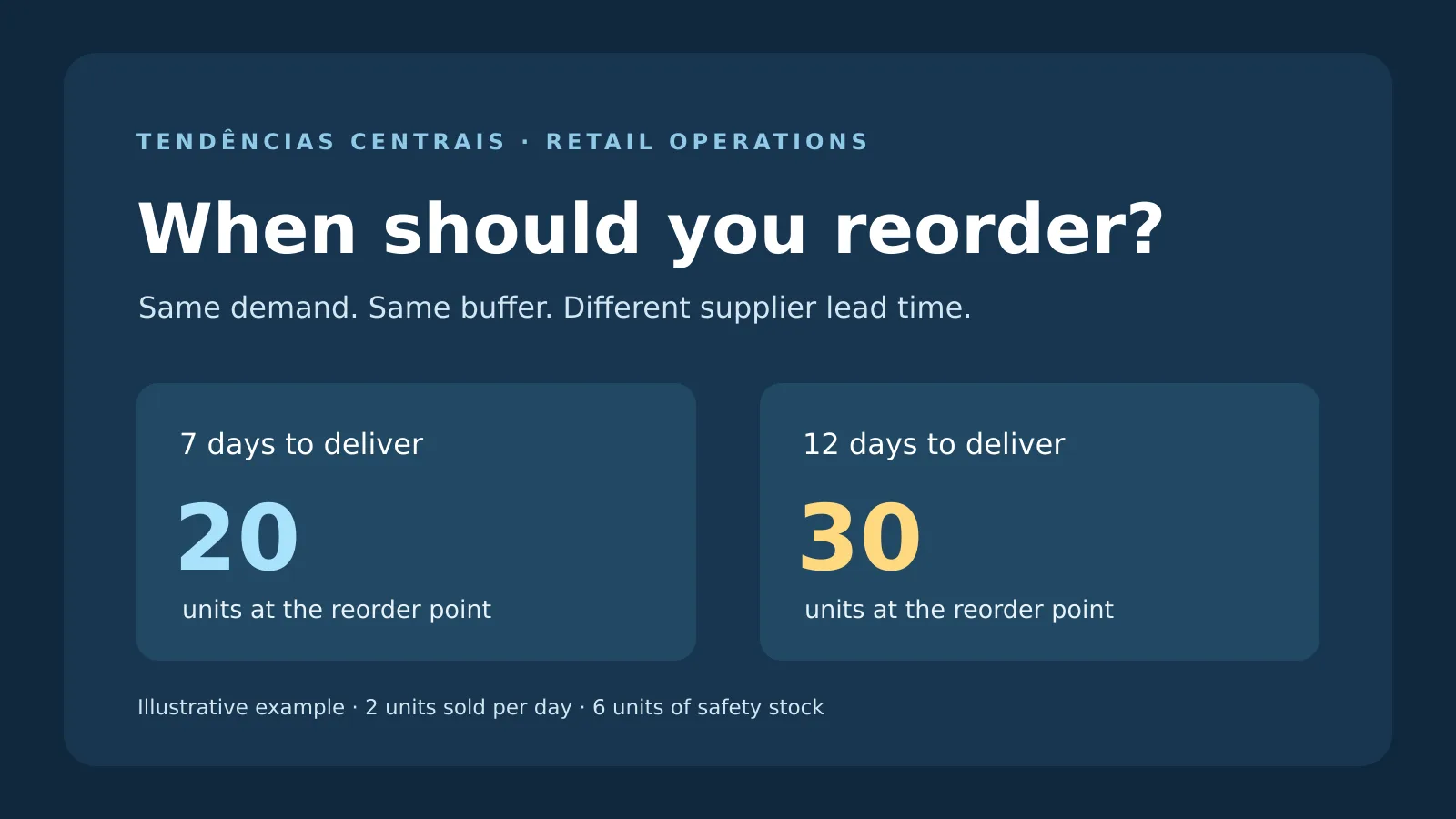
A reorder point calculator tells you when to review a purchase order. Multiply average daily unit sales by the supplier’s lead time, add safety stock, then round up to a whole unit. If you sell two units a day, wait seven days for delivery, and keep six buffer units, your reorder point is 20 units. If delivery slips to 12 days, the threshold rises to 30 units.
Compare that threshold with your inventory position: sellable stock on hand, plus confirmed incoming units expected within the lead-time window, minus units committed to customers. The calculator below separates the reorder trigger from the order size and checks what your budget can cover in full cases. Use the Excel version to plan several SKUs at once. All figures in the worked example are hypothetical.
Reorder Point Calculator and Free Excel Template
The calculator opens with the 12-day example. Replace those numbers with one SKU’s data. Use a consistent day basis throughout. If you sell every day, measure supplier lead time and extra coverage in calendar days, including weekends.
Use the Excel workbook below to calculate your own reorder point.
Download the free reorder point Excel workbook (.xlsx)
The workbook has 25 SKU or scenario rows, including two editable examples. Enter your assumptions in the amber cells. Each row has its own purchasing budget. If several SKUs share one cash limit, split the available amount among them before entering their budgets.
What Is a Reorder Point? The Formula and Inputs
A reorder point is the inventory level at which you review replenishment. It covers expected sales during the time it takes to get more units onto your shelves and adds a buffer for uncertainty. Reorder point = round up [(average units sold per day × lead time in days) + safety stock]. Oracle’s inventory planning documentation describes the same underlying relationship between lead-time demand and safety stock.
1. Estimate daily demand from a representative period
Divide units sold by the number of days in a representative period. Keep promotions separate when they are unlikely to repeat. If an item was out of stock for part of the period, its sales history understates demand. For a first pass, estimate from comparable in-stock days and cross-check with backorders, customer requests, or a similar product. Mark assumptions for new SKUs so you can revisit them as sales come in.
2. Measure lead time from order to sellable stock
Start when you place the order and stop when received stock is available to sell. Include supplier processing, transit, receiving, and inspection. A quoted five business days can be seven calendar days or more, depending on the order day and holidays. Use recent actual arrivals and run a second calculation for a plausible delay.
3. Choose a safety stock buffer
For an item selling two units a day, three extra days of coverage means six buffer units. This is a starting assumption. Review it against supplier delays, demand spikes, shelf life, and the cost of holding stock. Shopify’s guide to safety stock and reorder points explains the distinction between the buffer and the trigger. If you already moved from a seven-day lead time to a conservative 12-day estimate, avoid automatically adding five more days to the buffer for the same delay.
4. Calculate inventory position
Inventory position = sellable units on hand + confirmed incoming units within lead time − committed units. Exclude damaged goods from on-hand stock. If your system’s available count already excludes reservations, use a sellable count before reservations for this calculator, or enter zero committed units to avoid subtracting them twice. Even a confirmed shipment can arrive too late. Check its actual arrival date against the day you expect to run out.
How to Calculate How Much to Reorder
When inventory position reaches or falls below the reorder point, estimate a target stock level for the lead-time window plus the extra days you want to cover. Extra days reflect your purchasing schedule. Seven may be a reasonable starting input if you review orders weekly. Round the target up to a whole unit.
- Target stock: average units per day × (lead time + extra coverage days) + safety stock, rounded up.
- Units needed: target stock minus inventory position, with a floor of zero.
- Cases needed: divide units needed by units per case and round up to a full case.
- Affordable cases: divide the budget by landed cost per case and round down. Use your actual delivered cost in U.S. dollars, including attributable inbound freight. If freight changes with order size, recheck the supplier quote.
- Suggested order: use the smaller of cases needed and affordable cases. Check minimum orders, shelf capacity, delivery dates, and payment terms before placing the order.
Use the 13-week cash flow forecast to check whether the order leaves enough cash for bills due before the stock sells. If you have to choose between orders, compare expected days to stockout, the contribution each item earns, and the reliability of the next shipment.
Worked Example: A Supplier Delay Changes the Order
Consider a fictional U.S. gift shop selling two candles a day. It has 19 sellable units, eight confirmed incoming units expected within both scenarios, and three units reserved for customers. Its inventory position is 24 units. Assume the eight incoming units are scheduled to arrive on day four. That timing matters because the store has only 16 uncommitted units physically available today.
- Normal delivery, seven days
- Reorder point: 2 × 7 + 6 = 20 units. The inventory position of 24 is above the trigger. Check again after the next stock movement.
- Slower delivery, 12 days
- Reorder point: 2 × 12 + 6 = 30 units. The inventory position of 24 is below the trigger. Review a purchase order now.
With seven extra coverage days, target stock in the slower case is 44 units. The gap is 20 units. The supplier packs six per case, so reaching the target would require four cases, or 24 units. At $9.50 per unit, four cases cost $228. A $120 budget buys two cases, or 12 units, for $114. That leaves an eight-unit gap to target. Ask about a split shipment or review the item again before the next buying cycle.
Check receipt timing separately from the suggested order quantity. If the day-four receipt slips past day eight, those 16 uncommitted units can run out first at the assumed sales rate. Confirm the shipment or explore an earlier delivery even if the total inventory position includes the incoming units.
Common Reorder Point Mistakes
- Counting all open purchase orders. A late, backordered, or unconfirmed shipment may leave a gap. Track expected arrival dates and confirm the ones you depend on.
- Using the same buffer for everything. A fast-selling staple and a slow seasonal product carry different stockout and leftover risks. See our guide to buying seasonal inventory for a staged purchasing approach.
- Ignoring case packs and minimums. One affordable case is useful only if the supplier will ship it at that price. Check minimum order value, freight thresholds, and alternate vendors.
- Ordering a slow mover based on old demand. Check returns, clearance sales and changing demand. Use the broader retail inventory management guide to build a weekly review around counts, sales, and supplier performance.
Frequently Asked Questions
Do I reorder at the reorder point or below it?
Use the reorder point as a review trigger at or below the threshold. Confirm incoming orders, available cash, and demand before sending a purchase order.
What is the difference between reorder point and safety stock?
Safety stock is the buffer. The reorder point adds that buffer to expected demand while you wait for a new shipment.
Do incoming purchase orders count?
Count confirmed units due within the lead-time window when you calculate inventory position. Check arrival dates separately. A shipment that comes after a projected stockout still leaves a gap.
Can the reorder point be different for variants of the same product?
Yes. Calculate a separate threshold for each SKU when sizes, colors, or formats sell at different rates or have different delivery times.
How often should a small store recalculate reorder points?
Review your fastest sellers weekly as a starting routine. Recalculate sooner when a promotion, supplier delay, stockout, or seasonal change makes your current assumptions stale.
What if a SKU has no sales during the sample period?
Verify that it was available to buy. The calculator suspends order suggestions at zero estimated demand. For a new or frequently out-of-stock item, use an explicitly documented trial forecast and review it after real sales arrive.
Put It to Work This Week
Choose your five best-selling SKUs. Enter recent sales, actual supplier lead times, and a small buffer for each one. Verify inbound shipments and compare the order cost with cash available after bills. Download the free Excel workbook and bring the five results to your next purchasing review.